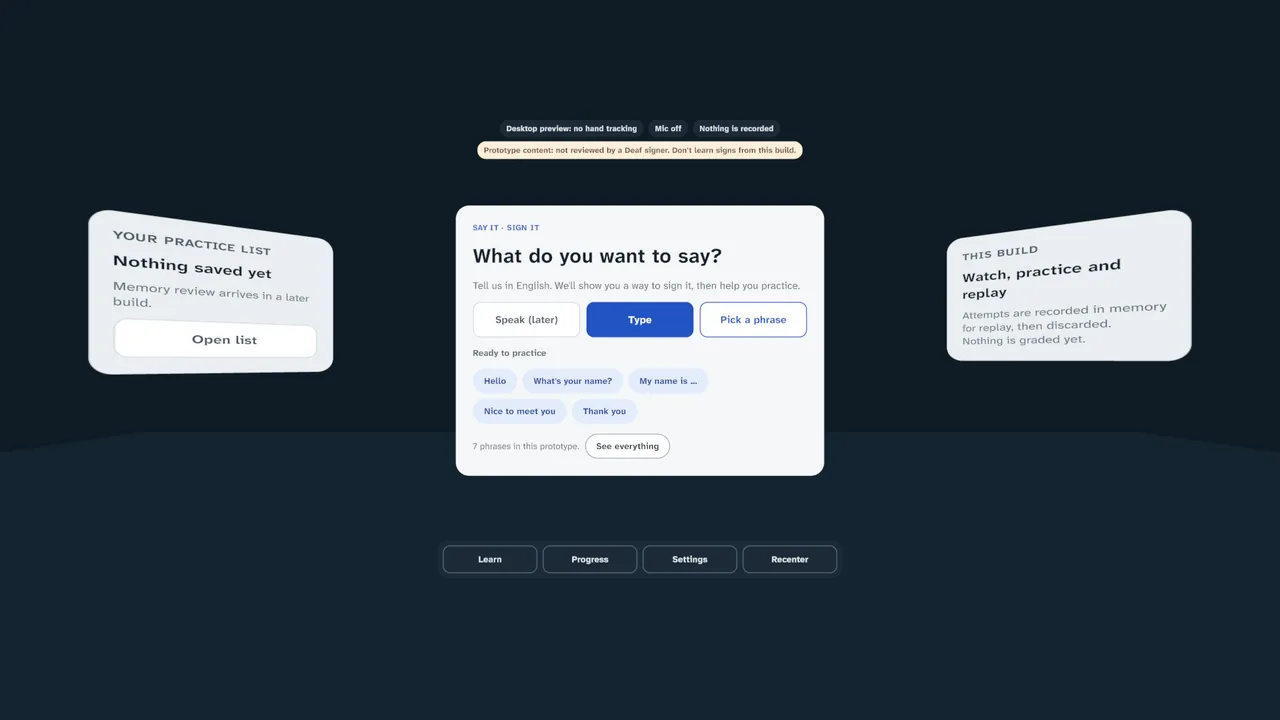
 Accessibility · researchSign Language XRA practice coach for American Sign Language. Type what you want to say, watch recorded ghost hands from your own point of view, then practise with hand tracking and review the attempt. No signs are taught until Deaf signers have reviewed them.
Software for the room you are standing in.
Headsets get lighter every year. We build spatial software that ships on today's standalone and mixed-reality headsets, and is designed to move to glasses as they arrive.
Swipe to see the whole figure ›
Tethered PC VR
- Form
- Heavy, cabled to a PC
- Session
- Minutes, at a desk
- Input
- Controllers
Where the first wave of VR lived. Powerful, but tied to one room.
Standalone
- Form
- Self-contained headset
- Session
- Up to an hour, anywhere
- Input
- Controllers and hands
Quest and its peers. Where most spatial software ships today.
Mixed reality
- Form
- Headset with passthrough
- Session
- Longer, in the real room
- Input
- Hands, gaze and voice
The room becomes part of the interface. Content stays where you put it.
Glasses
- Form
- Close to ordinary eyewear
- Session
- All day, on the move
- Input
- Voice, glance and small gestures
Information at a glance, not full immersion. The direction everything is heading.
Running on headsets now.
Learning tools, spatial software and games, built in Unity with OpenXR for Meta Quest and PC VR, and in SwiftUI for Apple Vision Pro. Images are captures from current development builds.
Spatial software and learningAccessibility · researchSign Language XRA practice coach for American Sign Language. Type what you want to say, watch recorded ghost hands from your own point of view, then practise with hand tracking and review the attempt. No signs are taught until Deaf signers have reviewed them.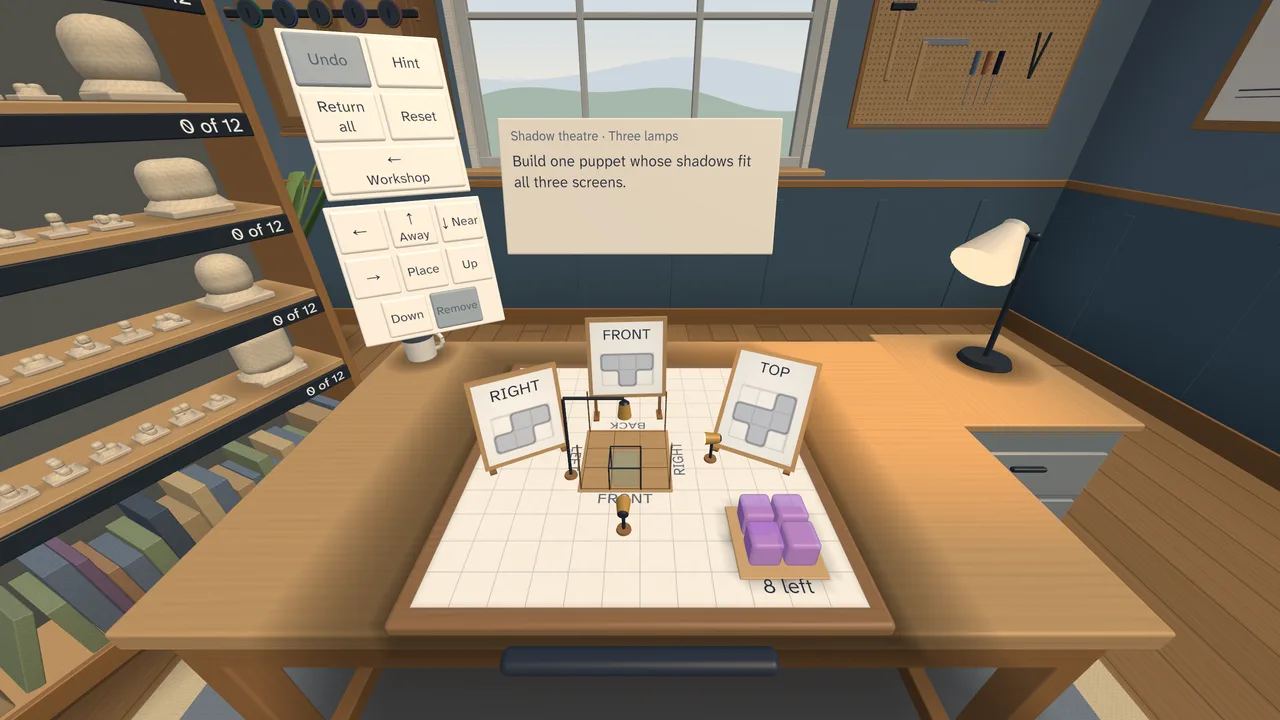 Spatial reasoning · educationSpatial WorkshopSixty hands-on puzzles at a workbench: turn keys into locks, cast shadows onto three screens, fold box nets, slice glass and assemble mechanisms. Built to train the spatial skills that drawings and flat screens struggle to teach.
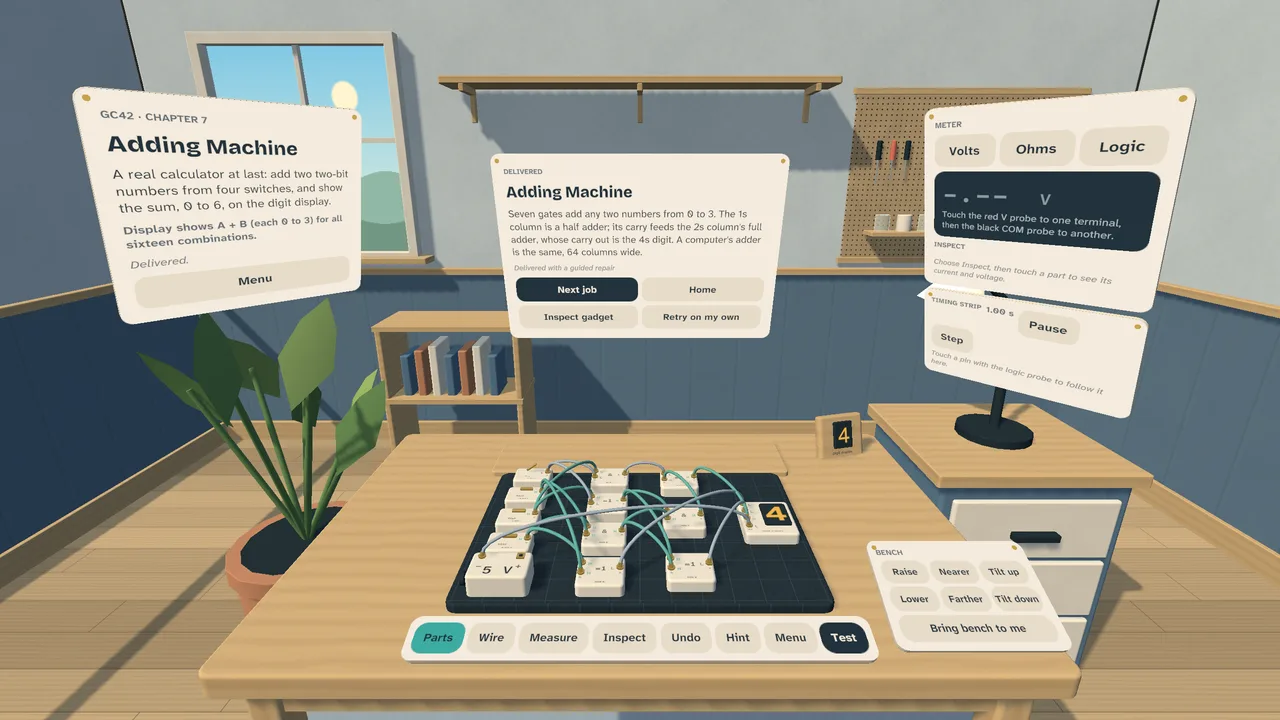 Hands-on trainingLearn CircuitsBuild and repair small gadgets on a virtual bench, from a reading lantern to a binary adding machine. Place parts, wire them, measure with a meter and press Test, learning DC circuits, sensors and logic along the way. The circuit solver is checked against a reference simulator.
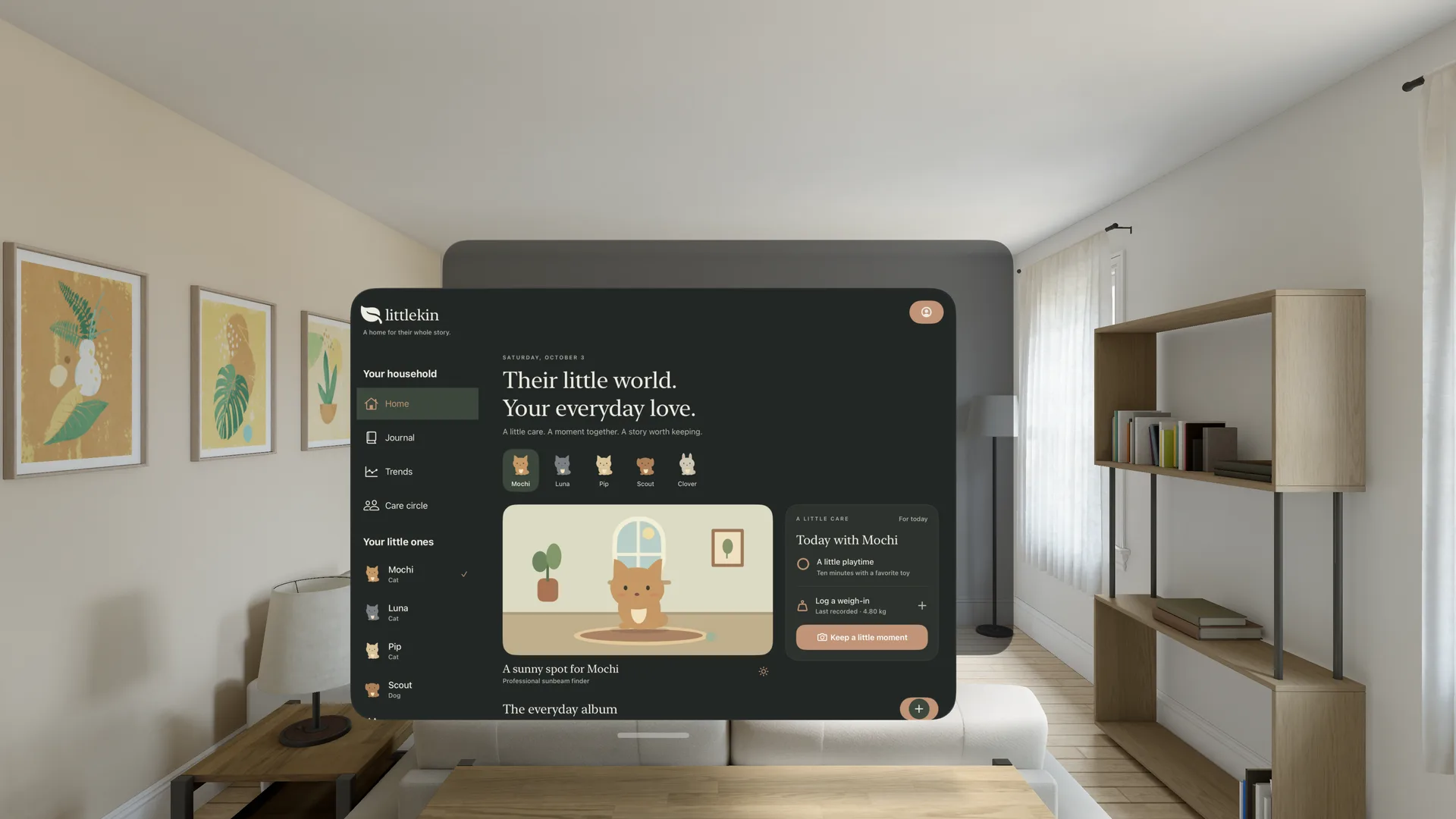 Everyday app · spatialLittlekin for Vision ProThe household pet-care app from iPhone and Apple Watch, as a window in your room. One codebase and shared data, with a layout that holds up from a watch face to a floating panel.
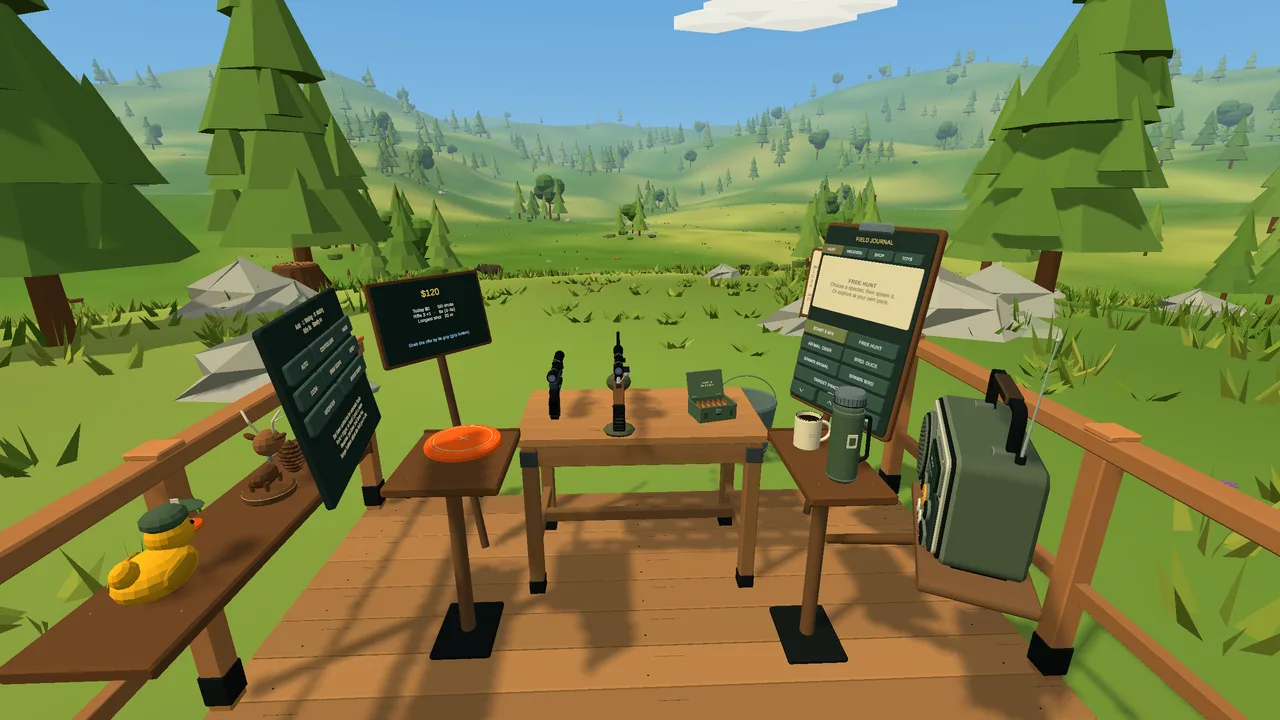 Hunting and target shootingBolt Action HunterA laid-back hillside deck with a scoped rifle, a pistol, hands-on reloads, coffee and a radio that plays your own music.
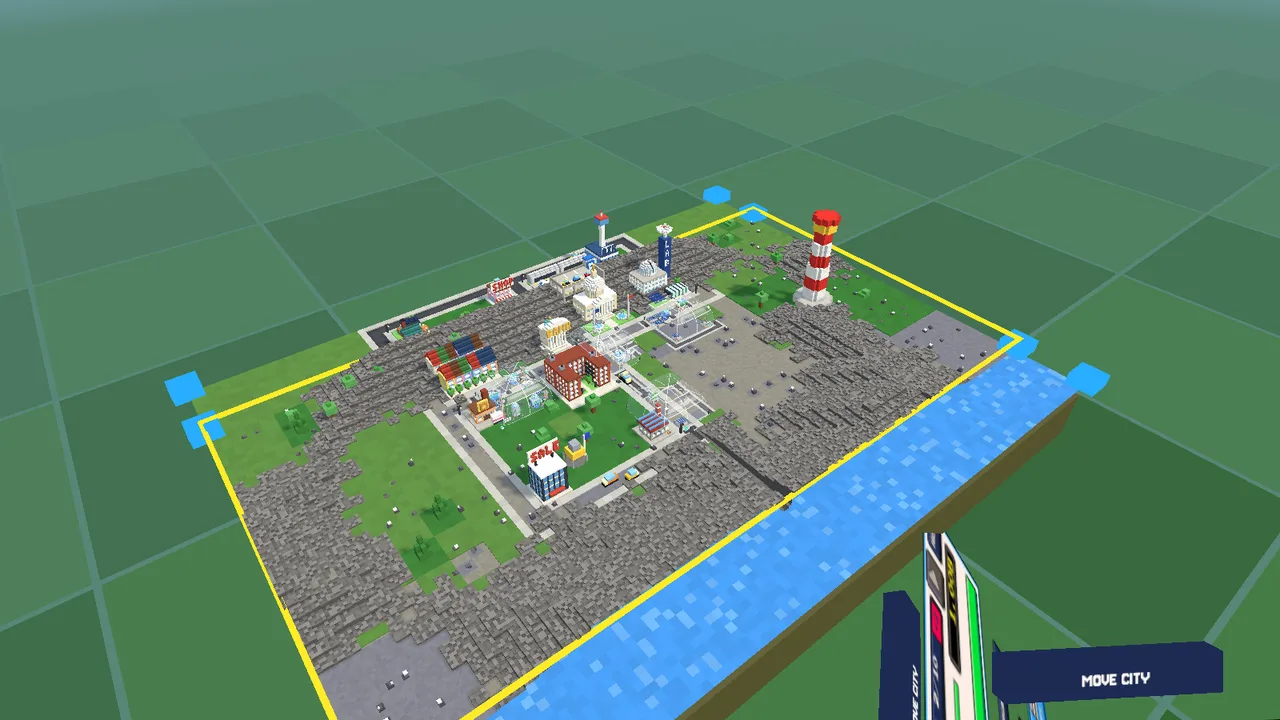 Idle city builderBit Universe VRUp to four voxel cities stand around you as tabletop dioramas, in your own room or a virtual one.
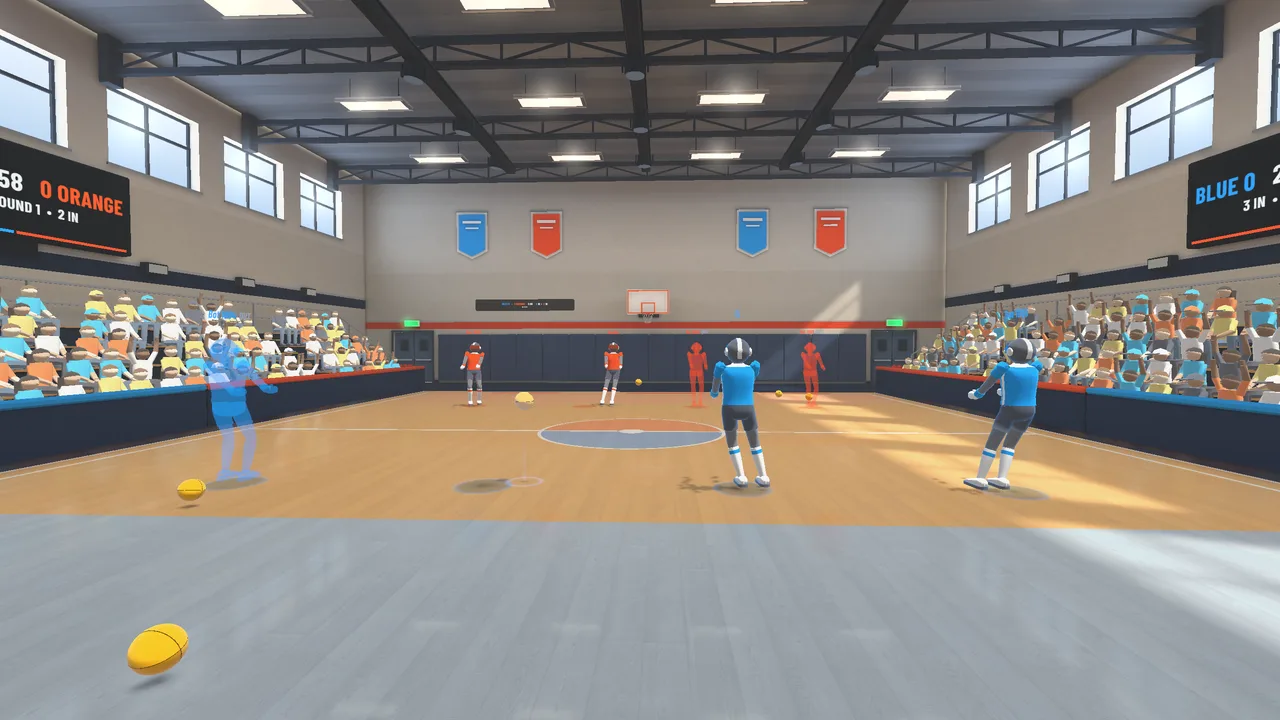 Room-scale dodgeballDodge CourtThrow, catch, block and dodge across five arenas, against bots or friends on the same network.
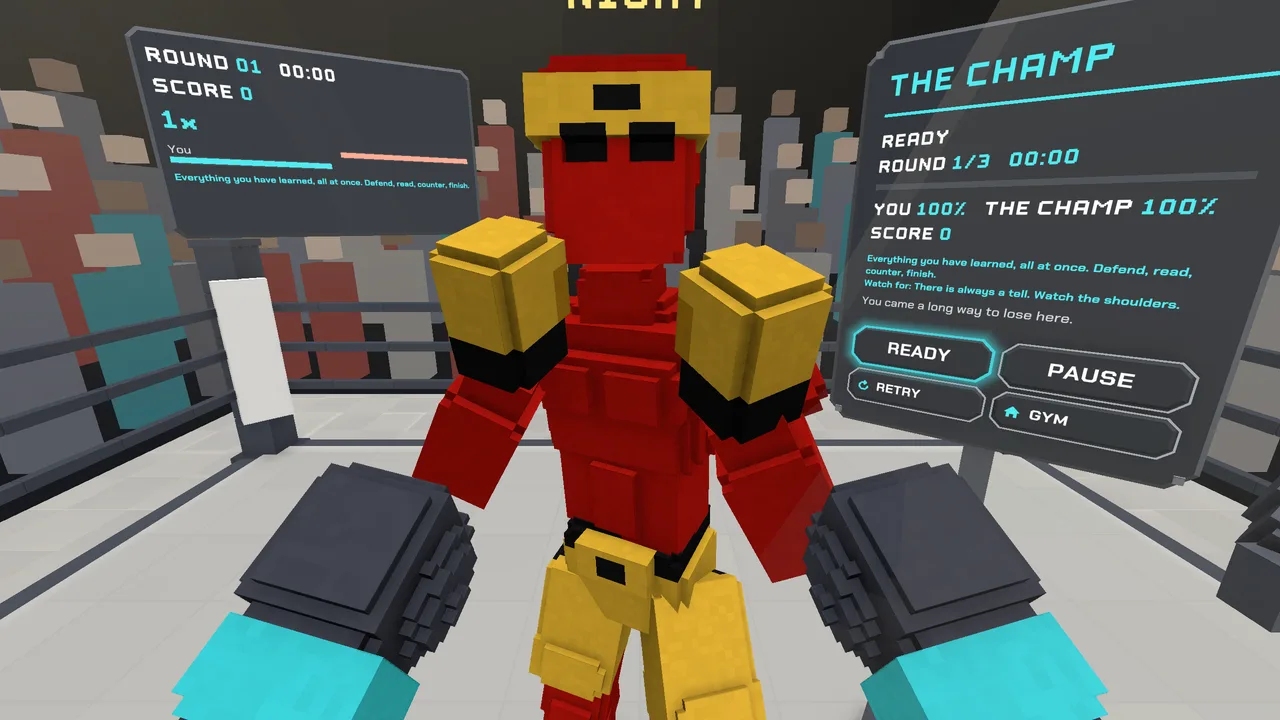 Boxing schoolLearn to BoxA coach teaches thirteen lessons and critiques each punch, then a four-belt career and arcade modes.
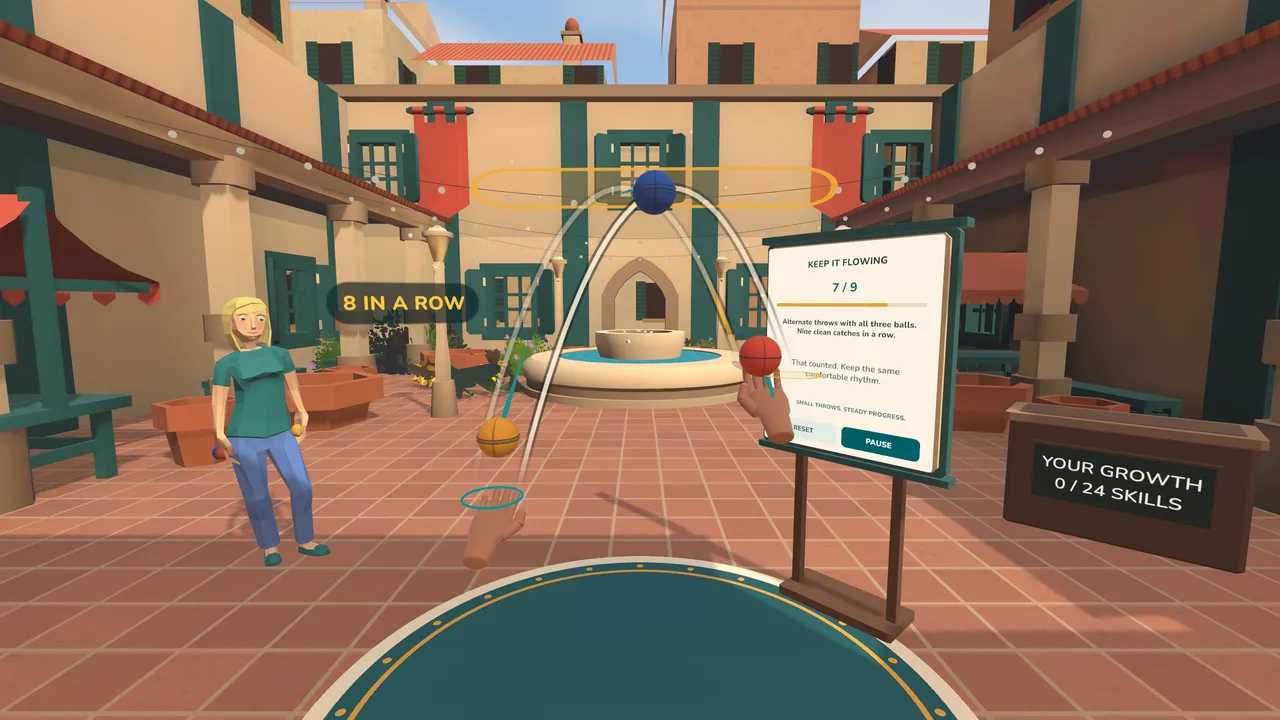 Juggling schoolLearn to JuggleA teacher and ghost hands demonstrate each move, and the help fades until you juggle at real speed.
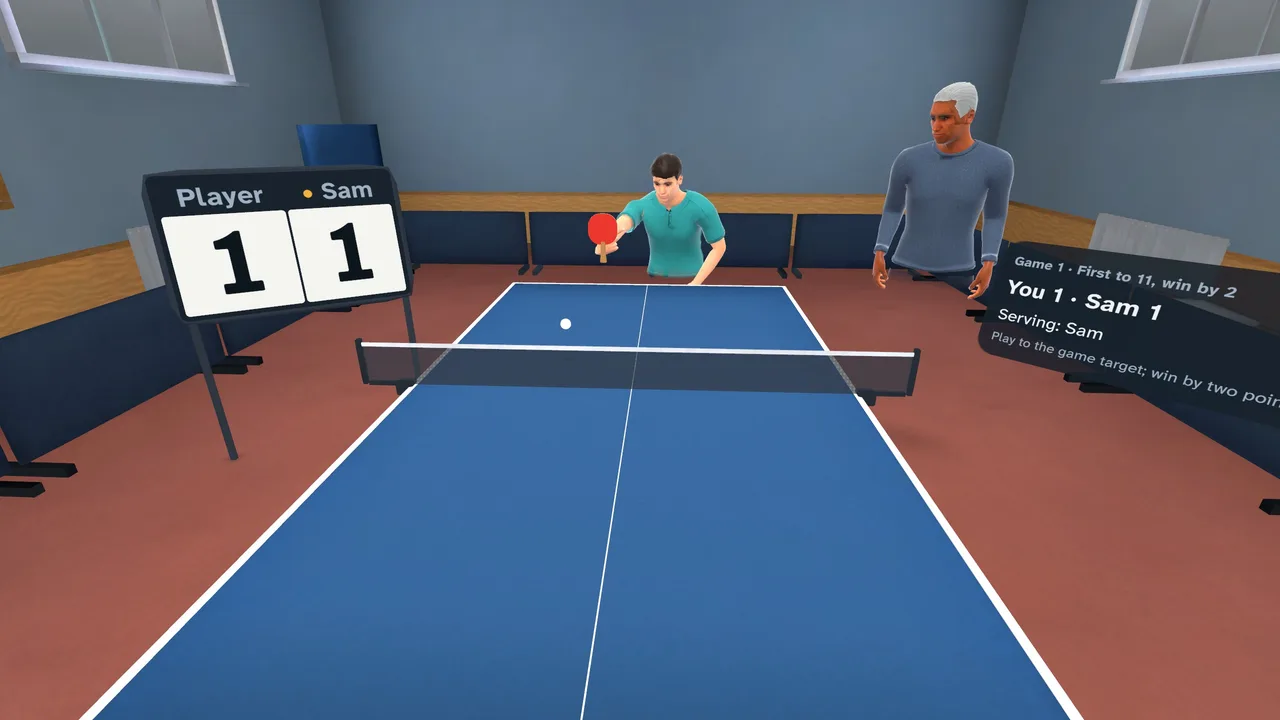 Table tennisLearn to Ping PongShort lessons, contact replays and a ball feeder, then a club campaign against computer opponents.
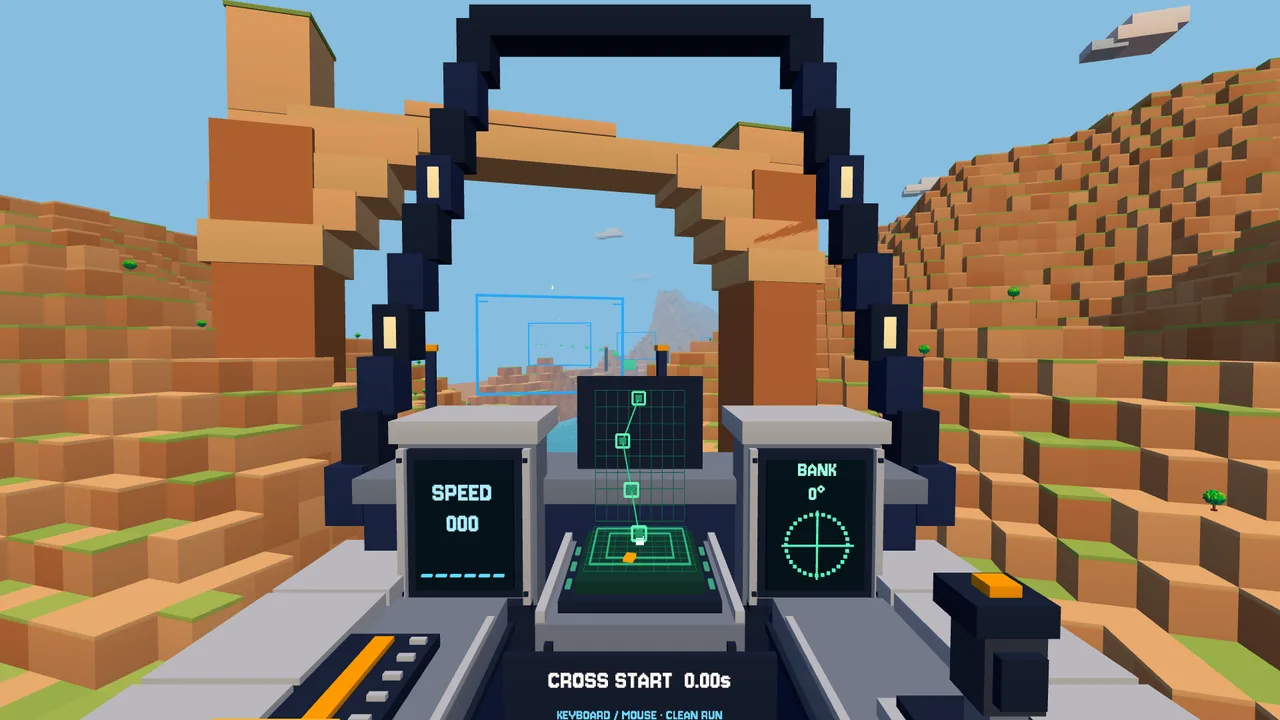 Seated flight racingVoxel Flight RacerA cockpit racer through voxel canyons: twelve tracks, a fifty-event career and races for up to four pilots.
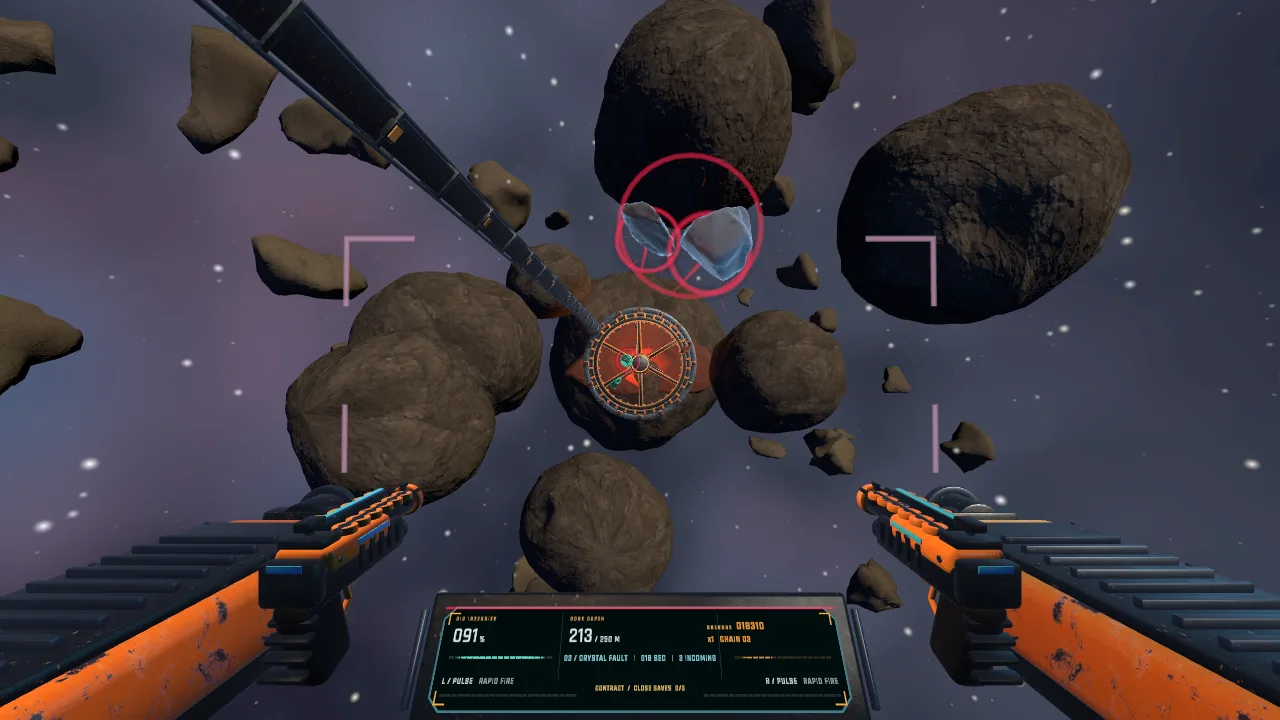 Asteroid-mining defenseShattershaftStand on a mining rig with two blasters and break up debris before it reaches the shield.
Designed for the next device, shipped on this one.
The hardware will keep changing. These six decisions are what let a product built today carry over to it.
One input layerControllers, hands, gaze and voice go through the same layer, so a product built for a headset today does not need rewriting for glasses.
Anchored to the roomSpatial anchors and scene understanding keep content where you placed it, on the machine, the table or the wall.
Glanceable firstInformation is sized for a quick look. If it works in a glance it survives the move to lighter devices; if it needs full immersion, we say so.
Compute where it fitsOn the device for latency, nearby or in the cloud for heavy work, with a fallback when the connection drops.
An assistant that sees what you seeVoice guidance grounded in your own manuals and records, with a person approving anything that changes a system.AI modernization
Comfort is a specificationFrame pacing, locomotion and text legibility are tested on real hardware every week, not left for launch.
Three things spatial software is ready to do.
Wireframe concepts, not client projects. Each one is buildable on current hardware and carries over to lighter devices.
The physical room What the software adds
Swipe to see the whole figure ›
01 · Field service · glasses · Concept
Repair guidance anchored to the machine
A technician looks at the equipment and sees the next step on it: which valve, which way, what the gauge should read. A remote expert can pin a note on the exact part. Hands stay on the job; voice moves the procedure along.
What it takes
- Spatial anchors on known equipment
- Procedures from your existing manuals
- Live readings from the systems you already run
- Remote expert annotations
Swipe to see the whole figure ›
02 · Training · VR · Concept
Practice the dangerous part safely
People rehearse procedures that are risky, rare or expensive to stage: lockout, emergency response, equipment handling. A ghost hand shows the correct grip, each step is checked, and supervisors get scored runs instead of a signature on a form.
What it takes
- A faithful simulated workspace
- Hand tracking with step validation
- Scores and attempts reported to your LMS
- Content updated without a new app release
Swipe to see the whole figure ›
03 · Facilities · mixed reality · Concept
The whole building, on the table
A facility model stands on a real table, with live sensor data floating over each floor. Pick a floor, walk around it, and bring a colleague in remotely to look at the same alert from the other side of the model.
What it takes
- A model of the building or site
- Sensor and work-order feeds
- Shared sessions across locations
- Access control for who sees what
On a headset by week three.
01 · Week 1–2SpecifyThe device, the room, who wears it and for how long.
02 · Week 3–6PrototypeA build on the real headset in the real space, not a render.
03 · OngoingBuildWeekly builds with comfort and frame-time checks on hardware.
04 · LaunchShipStore submission or managed deployment to your own devices.
Have a spatial build in mind?